Welcome! This page shows how to accept your WSU graduate admission offer using the myWSU portal.
- Need Help? Call 509-335-6424 or email gradschool@wsu.edu
Step 1: Log in to myWSU
Go to MyWSU and log in with your WSU ID and password. This step requires Okta multifactor authentication. Enter your WSU email address as Username.
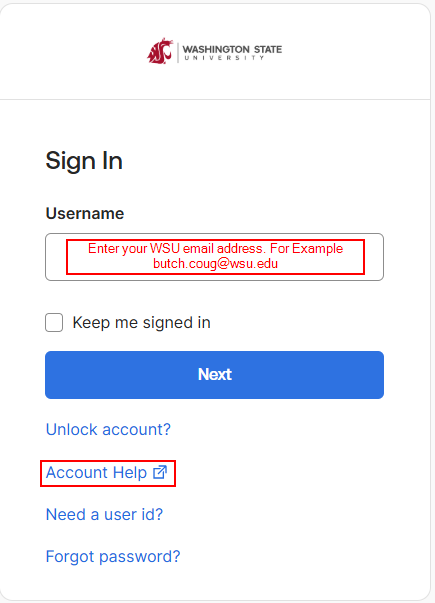
If you do not have an Okta account or otherwise cannot access myWSU, contact the WSU Crimson Service Desk to reset your account.
- by phone at 509-335-4357 during M-F 8:00 AM to 5:00 PM PDT (UTC/GMT -7 hours), or
- by email at crimsonservicedesk@wsu.edu
Step 2: Open the Applicant Homepage Menu
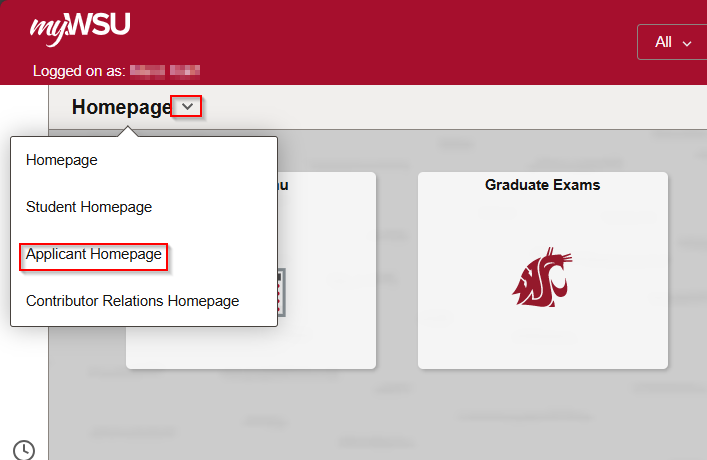
After logging in to myWSU, use the dropdown arrow shown below to ensure you are on the Applicant Homepage.
Step 3: View the Applicant Portal
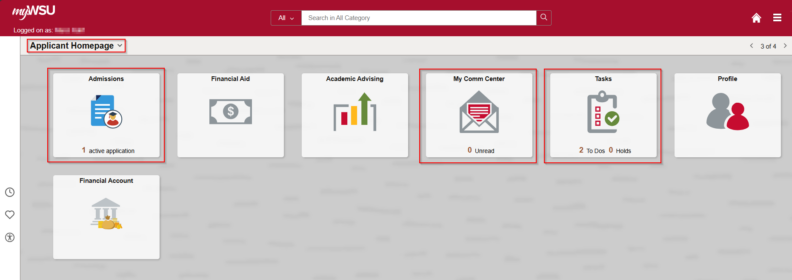
In the Applicant Homepage, you will see three important “tiles” called Admissions, My Comm Center, and Tasks, as shown below.
Step 4: Accept or Decline your Offer of Admission
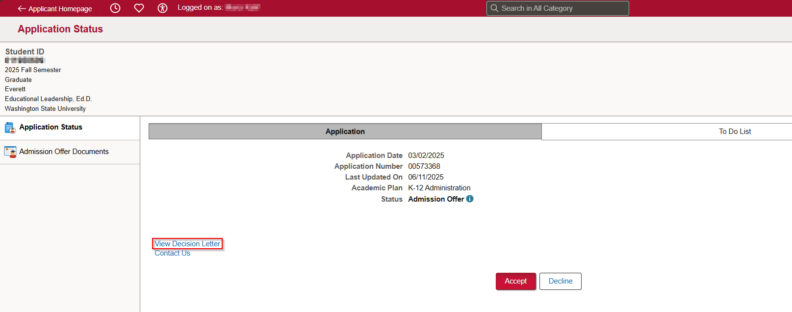
Click on the Admissions tile. From here, you may Accept or Decline the offer of admission. You may also view your Decision Letter and access your To Do List.
Step 5: Click the Tasks Tile
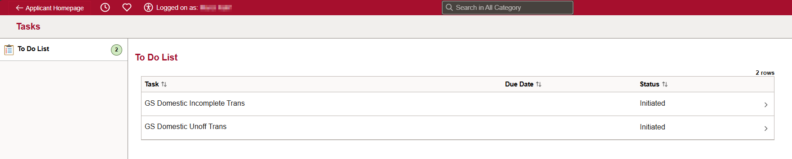
Click the tile labeled Tasks to open your To Do List. This shows all of the outstanding tasks you must complete and will become more important as you move further into your graduate career.
If you need help with any of the steps above, call 509-335-6424 or email gradschool@wsu.edu